

In the industrial sector, the stability and reliability of network connections are of Paramount importance. As a key device to connect the industrial network, the industrial optical Cat router not only provides high-speed network access, but also has powerful management and configuration functions. This section describes how to use a mobile phone to log in to the IP address 192.168.124.5 to help you easily manage and configure the network, improving the efficiency and security of the industrial network.
the advantages of industrial light cat router
1. High-speed and stable network access
The Industrial Light Cat router uses advanced fiber optic technology to provide high-speed, stable network access. It supports a variety of network protocols and interfaces to ensure that industrial equipment can be efficiently connected to the network and meet the strict requirements of industrial production for network bandwidth and stability.
2. Powerful management and configuration functions
The Industrial Optical Modem router has rich management and configuration functions. Through the graphical interface, users can easily perform network Settings, device management, and security configuration. These functions not only improve the efficiency of network management, but also enhance the security of the network.
3. Wireless connection support
Many ILM routers support wireless connectivity, which allows mobile devices such as phones and tablets to easily access the network for remote management and monitoring. This provides great convenience for maintenance personnel and managers of industrial sites.
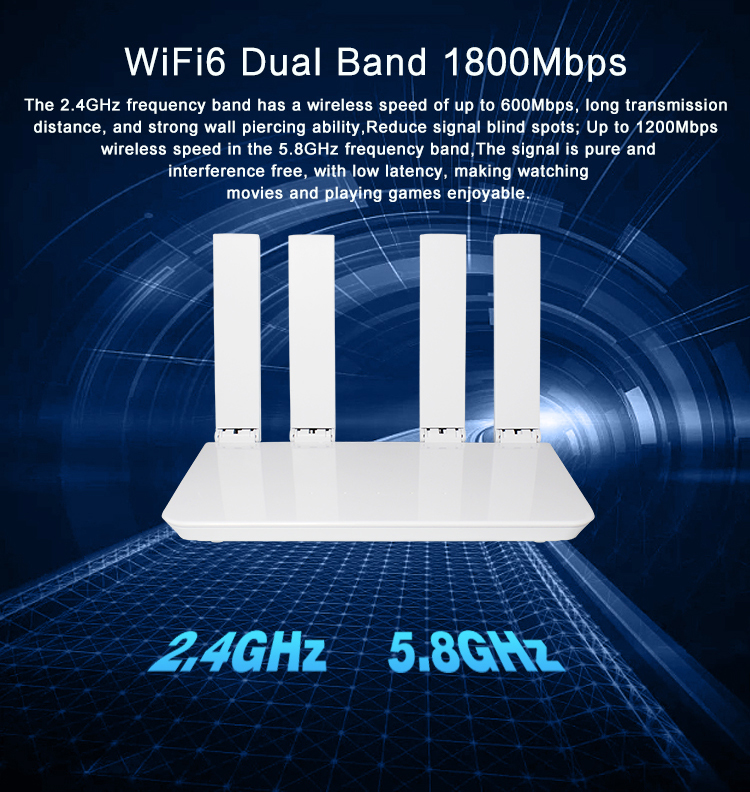
the steps of using a mobile phone to log in to the Industrial light Cat router
1. Prepare
Device preparation: Make sure your phone supports wireless network connection and is connected to the WiFi network of the Industrial Light Cat router. If the router does not have wireless enabled, you will need to configure it through a wired connection first.
Network connection: Ensure that the phone and the Industrial Light Cat router are in the same network environment. If your phone is unable to connect to your router's WiFi, you may need to check your WiFi password or signal strength.
2. Access the router management page
Open a browser: Open any browser on your phone, such as Chrome, Safari, etc.
Enter an IP address: Type 192.168.124.5 in the address bar of your browser and press Enter. This is the default management IP address of the Industrial Light Cat router and is used to access the router's management interface.
3. Log in to the router
Enter username and password: On the login page, enter the administrator username and password for the router. The default username and password can usually be found on the bottom label or in the instruction manual of the router. Common default user name and password combinations include admin/admin and root/root.
Log in to the management interface: Enter the correct user name and password, click the login button, enter the management interface of the router.
4. Configure the router
Basic Settings: On the management page, you can perform basic network Settings, such as setting the WiFi SSID and password, configuring the DHCP server, and setting static IP addresses.
Advanced Settings: For more advanced configurations, such as port forwarding, VPN Settings, and QoS management, you can also find the corresponding options on the management page.
Security Settings: To ensure network security, you are advised to configure firewall rules, enable MAC address filtering, and regularly update router firmware.
5. Save the Settings and test
Save configuration: After completing all configurations, click the Save or Apply button to make the Settings take effect.
Test the connection: Use another device to connect to the router's WiFi network and test the network connection to ensure that all configurations are correct.5G industrial router
common problems and solutions
1. The management page cannot be accessed
Check the IP address: Ensure that the IP address 192.168.124.5 is correct. If you're not sure, try another common management IP address, such as 192.168.1.1 or 192.168.0.1.
Check the network connection: Make sure the phone is properly connected to the WiFi network of the Industrial Light Cat router. If you can't connect, you may need to restart your router or check your WiFi password.
Restart the router: If the above methods do not work, you can try to restart the router. Unplug the router's power cable, wait 30 seconds to reinsert it, and wait for the router to complete startup.
2. The login fails
Check username and password: Make sure you have entered the correct username and password. If you forget your password, you can try using the default username and password, or restore the factory Settings via the router's reset button.industrial router
Reset the router: If you can't remember your username and password, hold down the reset button on the back of the router using a thin object, such as a paper clip, and keep pressing for about 10 seconds until the router's indicator indicates that the reset process has begun. After the reset, the router will revert to its factory default Settings and you can log in with your default username and password.
3. Weak wireless signal
Adjust router position: Place the Industrial Light Cat router in an open and unobstructed location, away from metal objects or electromagnetic interference sources.
Replace the high-gain antenna: If the router supports the replacement of the antenna, consider replacing the high-gain antenna to enhance the coverage and strength of the wireless signal.
With the detailed steps and FAQ solutions in this article, you should be able to easily log in to your ILM router using the IP address 192.168.124.5 from your mobile phone for network management and configuration. The Industrial Optical Cat router not only provides high-speed and stable network access, but also has powerful management and configuration functions, and supports wireless connection, which provides great convenience for the management and maintenance of industrial networks. Whether in the factory floor, warehouse management or remote monitoring scenarios, Industrial Light Cat routers can meet your needs to ensure the efficient operation and security of the network. Let us make full use of the advantages of the industrial light cat router, improve the management level of industrial networks, and promote the intelligent and information development of industrial production.wireless router
