

In today's era of information explosion, the Internet has become an indispensable part of our lives. Whether for work, study or play, a stable Internet connection is our goal. And the home cellular router, as a new network equipment, with its convenience and flexibility, gradually into the thousands of households.
home cellular router introduction
A home cellular router, also known as a wireless home cellular router or 4G home cellular router, is a device that provides Internet access over a cellular mobile communications network such as 4G/5G. It does not need to be connected to wired broadband like a traditional router, and just insert a SIM card to allow various devices in the home to share mobile networks and achieve wireless Internet access. For those living in areas with poor broadband coverage or inconvenient cabling, a home cellular router is undoubtedly an ideal choice.4G CAT4 CPE
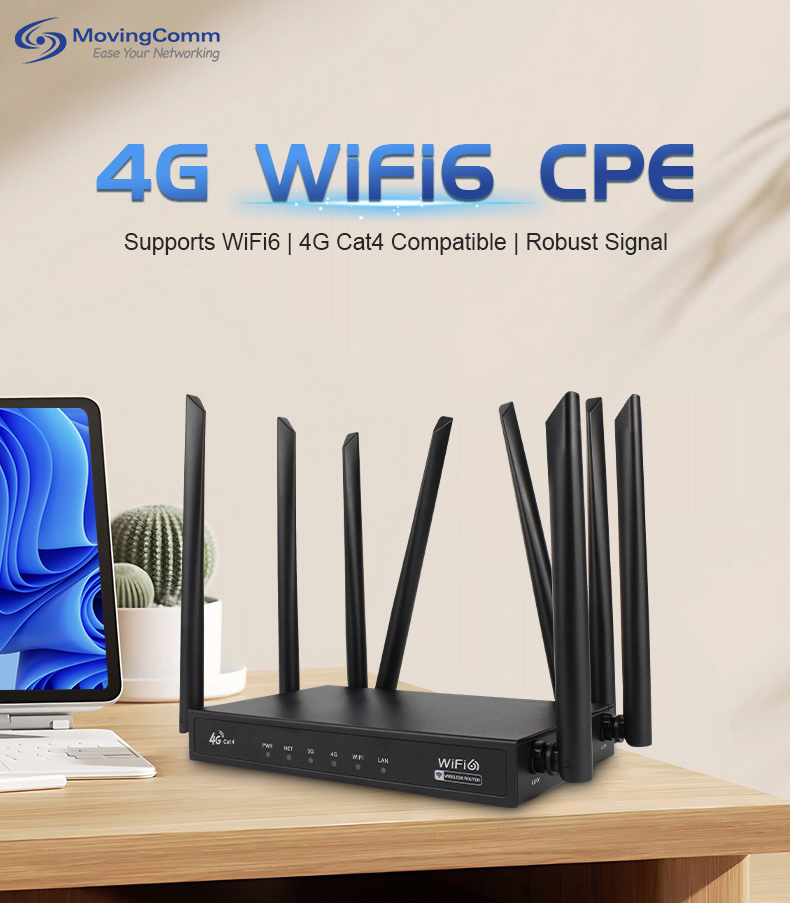
the preparatory work before starting
Before starting a home cellular router, we need to do the following preparations:
(1) Equipment inspection
First, make sure the home cellular router you buy is in good condition. Check the exterior of the router to make sure there are no obvious breaks or scratches. Also, check to see if the router has all the accessories, including the power adapter, antenna (if any), SIM card, etc. If you find any problems, you can contact the business in time for replacement or consultation.wireless CPE
2. Prepare the SIM card
A home cellular router requires a SIM card to connect to a mobile network. You need to get a SIM card suitable for the router, and usually this SIM card needs to have data traffic capability. You can contact your local mobile carrier to find out what SIM card plans they offer for your home cellular router, and choose according to your needs. Before inserting the SIM card, you also need to make sure that the SIM card is activated and that there is sufficient balance or traffic in the account.wireless router
(3) Read the instructions
Although the steps to start a home cellular router are relatively simple, in order to be able to operate more smoothly, it is recommended that you carefully read the manual that comes with the device. The manual will detail the various components, functions and startup steps of the router to help you better understand the use of the device and precautions.
the steps to start the home cellular router
(1) Connect the power supply
Connect your home cellular router's power adapter to the router's power port and plug the other end into a power outlet. Note that the power interface of the router may vary from model to model, so make sure the connection is correct. After the power is connected, the router's indicator light will light up, usually showing red or orange, indicating that the device is starting up.
(2) Install the SIM card
Find the SIM card slot on the router, which is usually located on the back or side of the router. Gently press the pin next to the slot to eject the SIM card. Place the prepared SIM card into the SIM card tray in the correct direction, and ensure that the direction of the notch on the SIM card is consistent with the mark on the card. Then, push the SIM card tray back into place to ensure that the SIM card is securely installed.
(3) Connecting devices
After the router is booted up and successfully connected to the mobile network, you can start connecting your devices at home. Open the devices that need to connect to the network, such as smart phones, tablets, and laptops, and go to the wireless network Settings screen. In the list of available wireless networks, locate the name of your home cellular router (SSID) and click Connect. Enter your router's wireless password (usually found on the back of the router or in the instruction manual) and wait for the connection to succeed.
(4) Check the connection status
When the connection is successful, the device will show that it is connected to a wireless network. You can try to access the Internet, such as opening web pages, sending emails, etc., to check whether the network connection is normal. If you find that there is a problem with the network connection, you can check the signal strength, SIM card balance or traffic of the router, and restart the router or contact the carrier for consultation if necessary.
Precautions after startup
(1) Update firmware regularly
In order to ensure the performance and security of your home cellular router, it is recommended that you regularly check and update the firmware of your router. Firmware updates usually fix some known issues and improve the performance and stability of the device. You can log into your router's administration interface to see if any firmware updates are available and follow the prompts.
2. Rationally configuring the network
According to your actual needs, you can carry out some reasonable configuration of the home cellular router. For example, set a fixed wireless password to prevent others from randomly connecting to your network; Enable the QoS (Quality of Service) function to ensure the network bandwidth of some important devices or applications. Set up parental controls to limit online time and content for children in your home.
(3) Pay attention to the use of data traffic
Because home cellular routers provide Internet access through the mobile network, there is a consumption of data traffic. In the process of use, pay close attention to the data traffic usage of the SIM card to avoid additional costs caused by traffic exceeding the package. You can query the traffic usage in real time through the mobile APP or SMS provided by the carrier, and adjust your Internet access habits or change the traffic plan as required.
With its convenience and flexibility, home cellular routers bring great convenience to our network life. Through the above detailed steps and precautions, I believe you will be able to easily start up and use your home cellular router. Whether it's enjoying the freedom of a wireless network at home or staying online when you're on the go, a home cellular router has what you need. Let's embrace the beauty brought by this technology and enjoy a more convenient and efficient network life!
