

In the field of industrial wireless communication, routers, as the core equipment of data transmission, play a crucial role. In particular, industrial wireless routers and industrial wireless 5G routers, which not only have the functions of ordinary routers, but also have stronger stability and data transmission capabilities, are widely used in intelligent manufacturing, smart security, smart grid and other industrial scenarios.
Overview of industrial wireless communication equipment
Industrial wireless communication equipment includes industrial wireless router, industrial wireless gateway, wireless transparent transmission terminal (DTU) and data acquisition telemetry terminal (RTU). Through the wireless communication network, these devices realize the data interaction between sensing devices, industrial control devices and control centers, achieve real-time online monitoring of target data, remote control and remote management of equipment, and promote the automation and intelligence of industrial production.
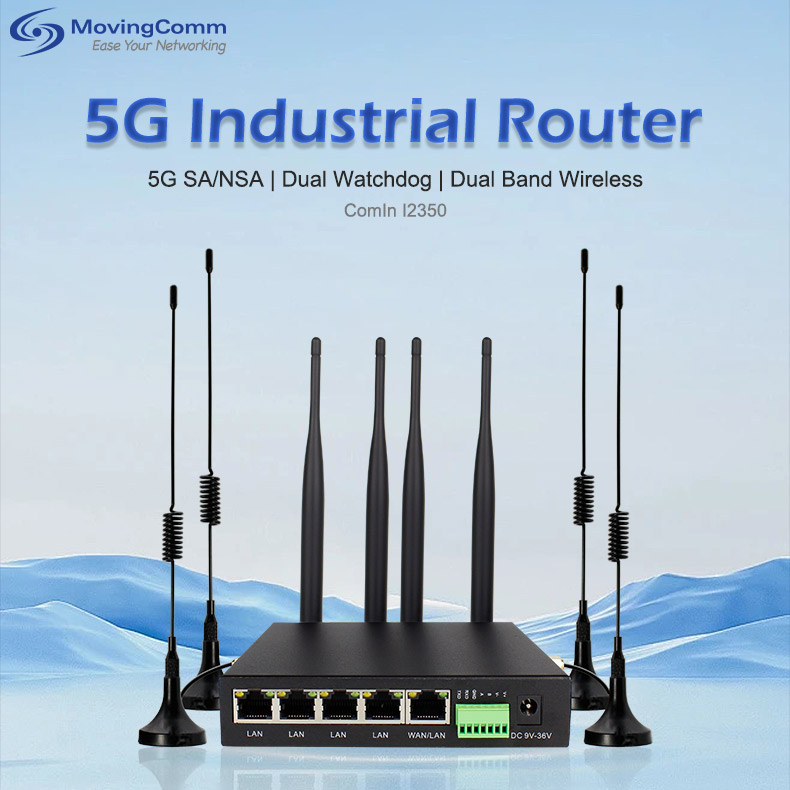
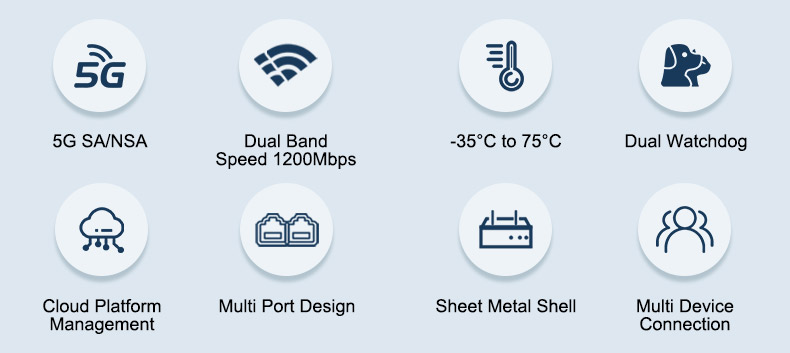
Industrial wireless routers and industrial wireless 5G routers, as the best of them, have high-performance wireless modules and high-stability and high-precision components, which can work stably in an extremely wide temperature environment of -35~+75ºC. They support a variety of network protocols and VPN protocols, have powerful data processing capabilities and bandwidth resource allocation control capabilities, can meet the needs of large data volume wireless transmission, and ensure the security and reliability of data transmission.5G industrial router
the importance of changing the router IP address
Changing the IP address of the router is of great significance in industrial wireless communication. First, by changing the IP address, you can avoid network conflicts, especially in large industrial networks, where multiple devices may use the same IP address, causing network communication failures. Second, changing the IP address can increase the security of the network and reduce the risk of being hacked by hiding the real network address. In addition, changing the IP address can facilitate network management and maintenance, especially when the network needs to be replanned and configured.
3. Steps to change the router IP address
Here are the basic steps to change the IP address of an industrial wireless router:
Log in to the router management interface:
First, enter the router's current IP address in your browser's address bar, usually 192.168.0.1 or 192.168.1.1. Then, enter the administrator account and password to log in to the router management interface.
Find LAN Settings:
After logging in, on the management page, select Network Settings, LAN Settings, or Local Network. These options are usually located in the advanced Settings or network configuration section of the router.
Change IP address:
Find the IP address field in your LAN Settings and enter the new IP address. Ensure that the new IP address does not conflict with the current network environment and complies with the network address plan.
Update Settings:
After entering the new IP address, save the Settings. The router may need to be restarted for the changes to take effect. Before restarting, ensure that you have saved all the necessary configuration information.
Update device Settings:
After you change your router's IP address, you need to update the gateway Settings on the device connected to that router to match the new IP address. This includes computers, mobile phones, sensors and other industrial communications equipment.
Log in to the management page again:
Log in to the router management page using the new IP address to confirm the change. If you cannot log in, check that the new IP address is correct and that the router has restarted.industrial router
precautions and common problems
When changing the router IP address, you need to pay attention to the following points:
Backup configuration: Before changing the IP address, it is recommended to back up the current configuration of the router so that it can be restored in case of problems.
Avoid conflict: Ensure that the new IP address does not conflict with the IP address of other devices on the network. You can use the network scanning tool to check the IP address usage.
Network security: After changing the IP address, update the firewall and security policies on the network in a timely manner to ensure that the new IP address is protected from unauthorized access.
Device compatibility: After changing the IP address, check that all devices connected to the router can access the network properly. Some devices may need to reconfigure network Settings.
Common problems include failure to access the router management interface and failure to access the Internet after changing the IP address. These problems are usually caused by entering the wrong IP address, not saving the Settings, or not updating the device configuration. Ways to resolve these issues include checking that the IP address entered is correct, making sure the router has saved the Settings and restarted, updating the gateway Settings on the device, and so on.
5. Advantages of industrial wireless 5G routers
As a new generation of industrial network communication equipment, industrial wireless 5G routers have significant advantages such as high speed, low delay, and large bandwidth support. These advantages make 5G routers perform well in application scenarios that require real-time transmission of high-definition video and large amounts of sensor data. Especially in the field of intelligent manufacturing, 5G routers can achieve millisecond level communication delay to meet real-time control needs such as automatic control of production lines. In addition, 5G routers also support a variety of network protocols and VPN protocols, can easily establish wired and wireless transmission networks, and support data collection and transmission, providing flexible network solutions for various application scenarios.wireless router
Changing the IP address of an industrial wireless router is a common and important operation in industrial network communication. By following the right steps and precautions, you can ensure the safe, stable and efficient operation of your network. With the continuous development of industrial wireless communication technology, industrial wireless routers and industrial wireless 5G routers will play an important role in more fields, promoting the automation and intelligent process of industrial production.
