

In modern industrial scenarios, efficient and stable network connectivity is the key to ensuring smooth production processes and real-time data transmission. With the popularity of Internet of Things (IoT) technology, industrial-grade 4G routers have become the first choice for many enterprises with their powerful data transmission capabilities, extensive network coverage and excellent stability.industrial router
understand the industrial 4G router
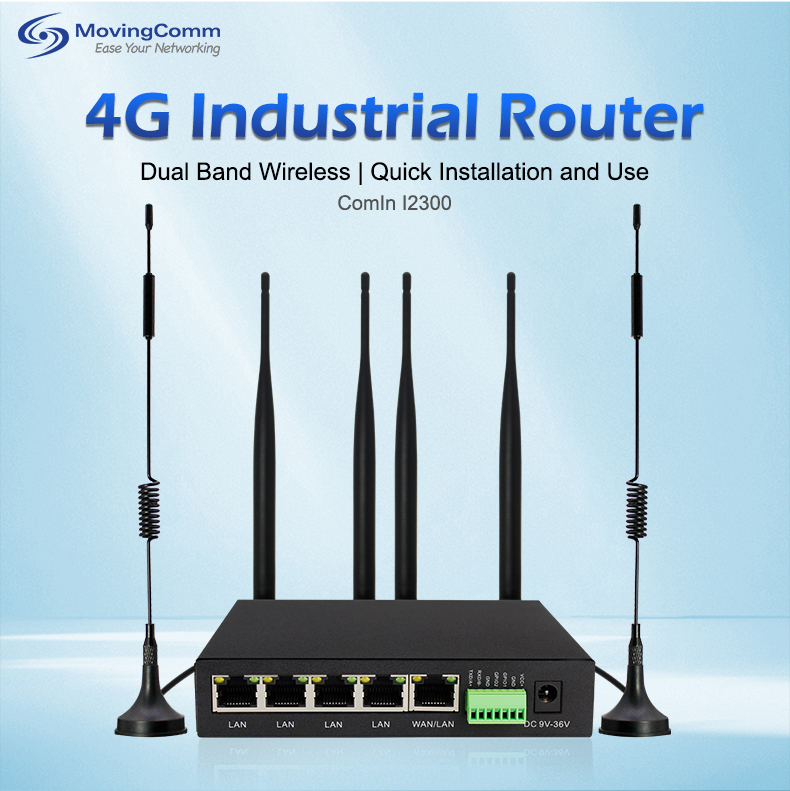
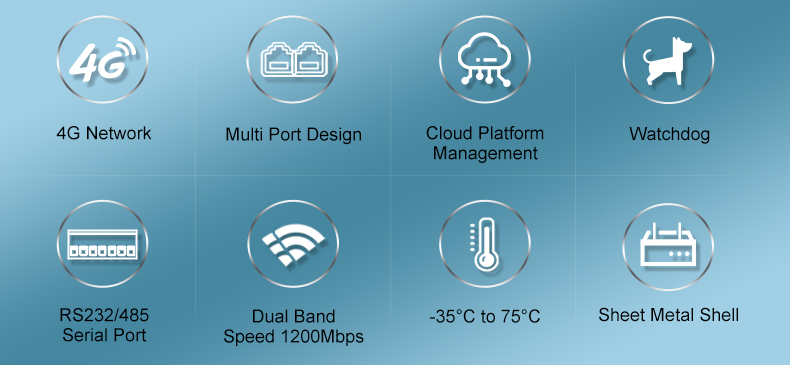
Industrial-grade 4G routers are designed for harsh industrial environments and offer higher levels of protection (such as IP67 water and dust resistance), enhanced thermal performance, wider voltage range and longer service life than regular home routers. These features enable industrial-grade 4G routers to operate stably under harsh conditions such as high temperature, humidity and vibration, ensuring continuity and reliability of data transmission.
open the industrial 4G router steps
1. Connect the hardware
Power access: First, connect the router to a stable power supply to ensure that the voltage meets the router specifications.
SIM card installation: Open the SIM card slot on the back of the router and insert the activated 4G SIM card. Check whether the SIM card is properly installed to prevent loose connections.
Network cable connection (Optional) : If the device needs to be connected in wired mode, use a network cable to connect the LAN port of the router to a computer or other network devices.
2. Perform the initial configuration
Log in to the management interface: Open a browser, enter the default IP address of the router (usually 192.168.1.1 or as shown on the label on the back of the router), and press Enter to go to the login page. Enter your default username and password (also found on the back of the router or refer to the manual) to complete the login.
Network Settings: In the router management interface, find the "network Settings" or "WAN Settings" option, select 4G as the network connection mode, and configure the relevant parameters according to the APN information provided by the carrier.4G industrial router
WiFi Settings: Go to the "Wireless Settings" or "WiFi Settings" page, enable WiFi function, set SSID (network name) and password. For increased security, WPA2 or WPA3 encryption is recommended.
3. Advanced optimization
Frequency band selection: Select the appropriate 2.4GHz or 5GHz frequency band according to the actual requirements. The 2.4GHz band has a strong ability to penetrate the wall, but it is susceptible to interference. The 5GHz band is faster but has limited coverage.
Signal enhancement: If coverage is insufficient, consider using a WiFi relay or Mesh network system to expand signal coverage by adding nodes.
Traffic management: In an industrial environment, data traffic may be large. Set traffic limits and priorities to avoid unnecessary traffic consumption.
Challenges and solutions for industrial WiFi coverage
Challenge 1: Complex environmental interference
There are often a large number of metal structures and mechanical equipment in industrial sites, which may become a barrier to WiFi signals.
Solution: Use high-gain antenna to optimize router placement and reduce physical barriers; Consider using a directional antenna to enhance the signal for a specific area.
Challenge 2: Device density and large number of connections
There are many sensors, controllers and other devices on the intelligent manufacturing production line, which puts high requirements on the quantity and quality of WiFi connections.
Solution: Choose an industrial-grade router that supports multi-user concurrent connections, ensuring that each device gets enough bandwidth and a stable connection.wireless router
Challenge three: Data security
Industrial data often involves trade secrets, and once leaked, the consequences are serious.
Solution: Enable WPA3 encryption, update router firmware regularly, and configure firewall rules to limit illegal access. At the same time, consider using VPN technology to provide an extra layer of security for data transmission.
Maintenance and monitoring
Periodic check: Periodically check the running status of the router, including signal strength, number of connected devices, and traffic usage, to discover and solve problems in a timely manner.
Remote management: Using the remote management function of the router, you can easily configure and monitor the network status even if you are remote, improving the efficiency of operation and maintenance.
Backup and Restore: Back up router configurations regularly to quickly restore network Settings in case of configuration loss or errors.
Conclusion
As a bridge connecting intelligent manufacturing, the correct opening and optimization of the industrial-grade 4G router is crucial to improving production efficiency and ensuring data security. With this guide, I believe you have mastered how to turn on and optimize an industrial-grade 4G router to build a seamless WiFi coverage network. In the future, with the gradual maturity and popularization of 5G technology, industrial-grade 5G routers will bring more high-speed and low-latency network experience, injecting stronger impetus into the era of Industry 4.0. Let us go hand in hand to create a better future of intelligent manufacturing!
