

In the Industrial Internet of Things (IIOT) scenario, industrial routers are a key hub for connecting devices to the cloud. However, ignoring signal interference and data delay during deployment may cause network instability, low transmission efficiency, and even affect production safety. How to avoid signal interference and data delay?
the causes of signal interference and coping strategies
The industrial environment is complex, and metal equipment, electromagnetic interference, and physical obstacles can weaken signal strength. Here are typical problems and how to deal with them:
the causes of signal interference and coping strategies
The industrial environment is complex, and metal equipment, electromagnetic interference, and physical obstacles can weaken signal strength. Here are typical problems and how to deal with them:
Signal attenuation due to physical obstacles
Pit avoidance solution: Before deployment, perform a field signal test, and preferentially select open and high installation points to avoid metal shielding. If the coverage area is large, the signal penetration can be enhanced by using Mesh networks or directional antennas
Antenna optimization: Adjust the antenna Angle according to the signal strength, prioritize high-gain antennas (such as 5dBi and above), and ensure that the antenna interface matches the frequency band (such as 2.4GHz and 5GHz dual-band support).
Electromagnetic interference (EMI) problem
Pit avoidance scheme: Choose a router with a metal shell and IP30 or more protection level, and the metal material is not only anti-interference, but also effective heat dissipation. At the same time, avoid installing the router near strong electromagnetic equipment such as motors and frequency converters
Frequency band selection: Preferentially use the 5GHz band (less interference), or manually switch channels through the router management interface to avoid congested bands
The root causes of data latency and optimization techniques
The root causes of data latency and optimization techniques
Data latency can be caused by network congestion, improper protocol configuration, or poor hardware performance, and needs to be optimized for:
Insufficient bandwidth conflicts with multipath transmission
Solution: If a 4G/5G network is used, select a router that supports multi-network intelligent switching (such as dual SIM card redundancy), and configure a traffic load balancing policy. For example, the dual-WAN interface design diverts Intranet traffic from public network traffic to reduce congestion risks
QoS Settings: Enable the Quality of Service (QoS) function on the router management interface to allocate high-priority bandwidth for key services such as PLC control and video surveillance to ensure real-time data transmission.
Improper protocol configuration results in low transmission efficiency
Pit avoidance solution: In remote monitoring scenarios, enable an encrypted VPN tunnel (such as IPSec or OpenVPN) to prevent data delay due to retransmission or packet loss. At the same time, turn off unnecessary background services (such as non-essential ports) to reduce protocol overhead
Hardware watchdog: Select a router with the built-in hardware watchdog function to automatically restart the router when the device is abnormal, preventing data accumulation caused by system deadlock industrial router
Professional deployment suggestions: From planning to O&M
Network planning phase
Environmental assessment: Use tools (such as WiFi analyzers) to detect signal dead spots and plan the number of aps combined with device density.
SIM card management: Select a multi-carrier SIM card redundancy scheme to avoid fluctuations in a single carrier's network 4G industrial router
Equipment selection and configuration
Hardware standards: Preferentially select routers that support industrial-grade wide temperature (-40 ° C ~70 ° C) dust and moisture resistance, and choose routers with metal shells to avoid electromagnetic interference.
Security hardening: Enable firewall, MAC address filtering, and access control lists (ACLs) to prevent unauthorized access
Operation, maintenance and testing
Remote management: Use the cloud platform to achieve remote monitoring and firmware upgrade of the router, timely detection and repair of anomalies wireless router
Stress test: Simulate high concurrent data transmission scenarios, verify the stability and latency of the router, and adjust the network topology if necessary
The deployment of industrial routers requires consideration of environment adaptation, protocol optimization, and hardware reliability. Through scientific network planning, anti-interference design and intelligent operation and maintenance, signal attenuation and data delay risks can be significantly reduced.
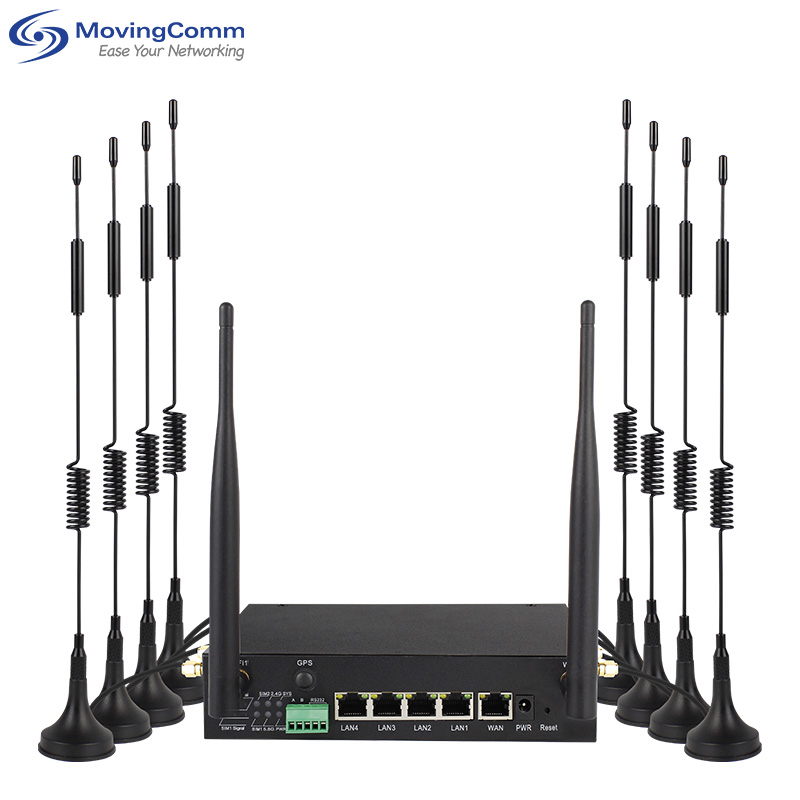
The deployment of industrial routers requires consideration of environment adaptation, protocol optimization, and hardware reliability. Through scientific network planning, anti-interference design and intelligent operation and maintenance, signal attenuation and data delay risks can be significantly reduced.
